Clearer sociograms and follow-up comparison
A layout with fewer crossed links, side-by-side study comparison, richer exports and safer everyday workflows.
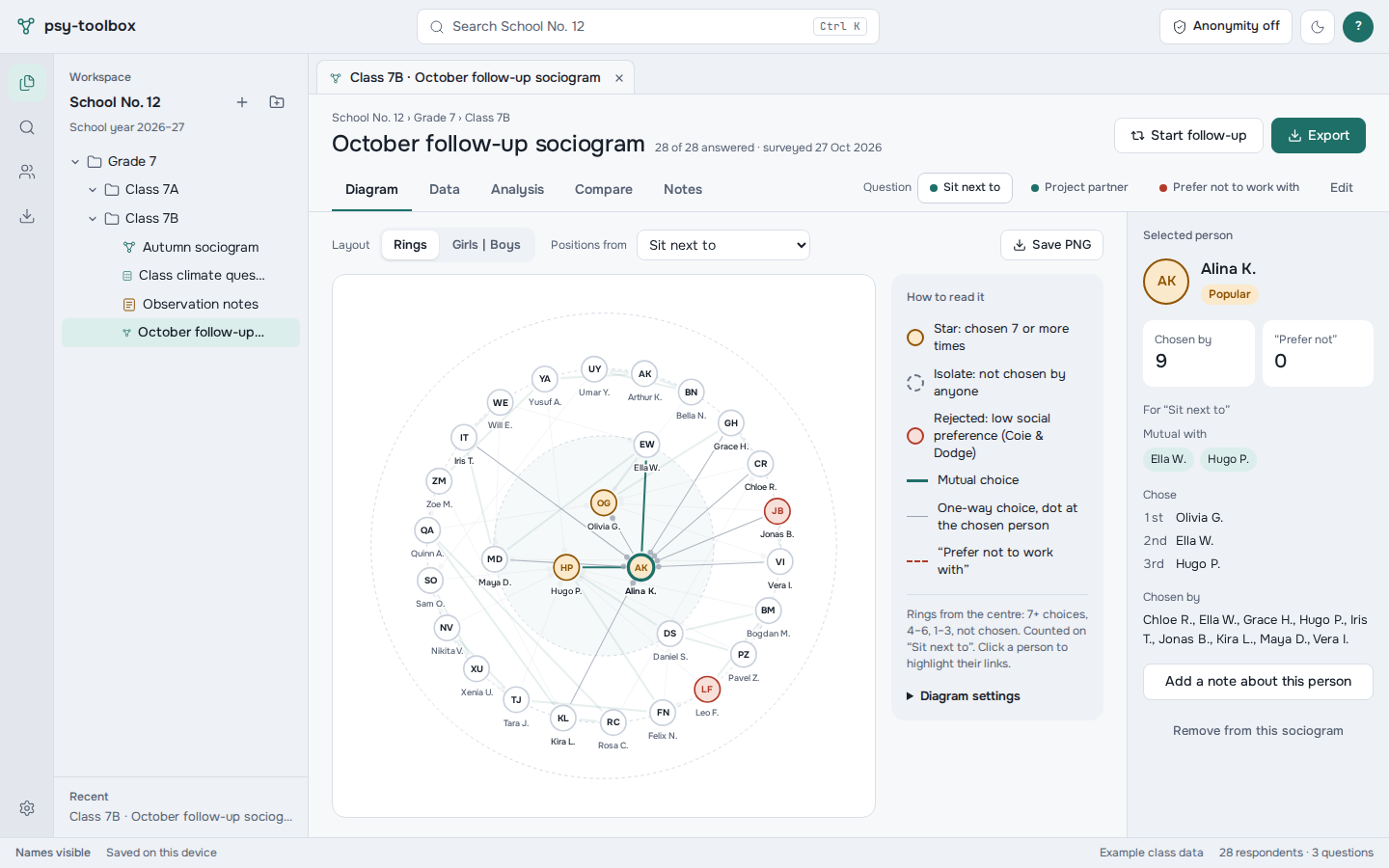
Sociograms now use fewer crossed links. Follow-up studies can be compared directly with an earlier wave. The built-in example contains both studies, so you can explore the changes without importing data first.
Clearer diagrams
The ring and split layouts now search for an arrangement that reduces link crossings while keeping sociometric tiers and group sides intact. The result stays deterministic, so the same answers produce the same diagram and PDF.
- Give every question its own optimized positions.
- Reuse one selected question’s positions when visual stability matters more than minimizing crossings.
- Save the current diagram as a PNG or export a detailed Excel analysis workbook.
Compare repeat studies
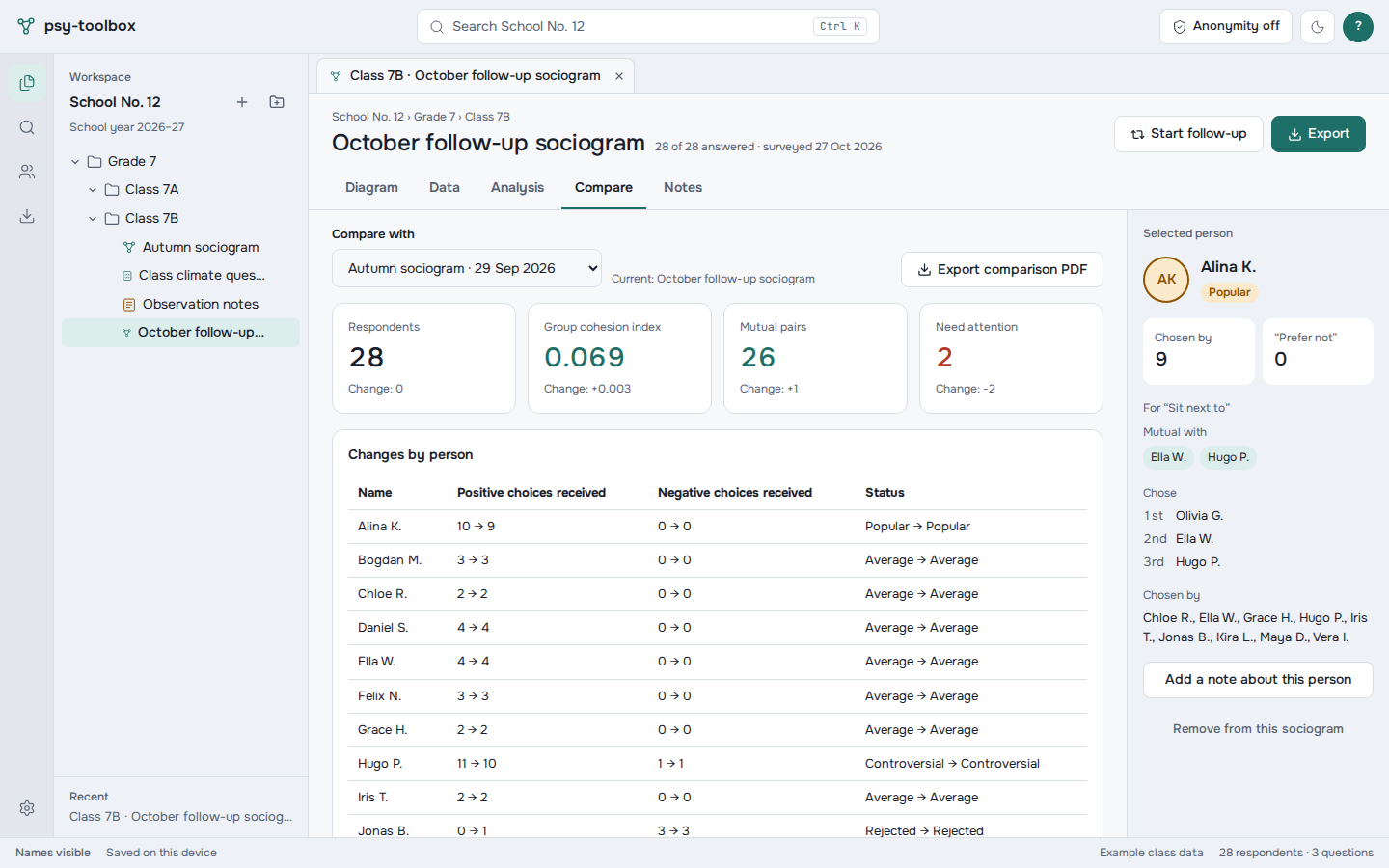
Start a follow-up from any sociogram to preserve its people, questions and display settings while clearing wave-specific answers and notes. Once answers arrive, the Compare tab shows changes in cohesion, mutual pairs, attention lists, individual nominations and sociometric status.
One PDF for a meeting
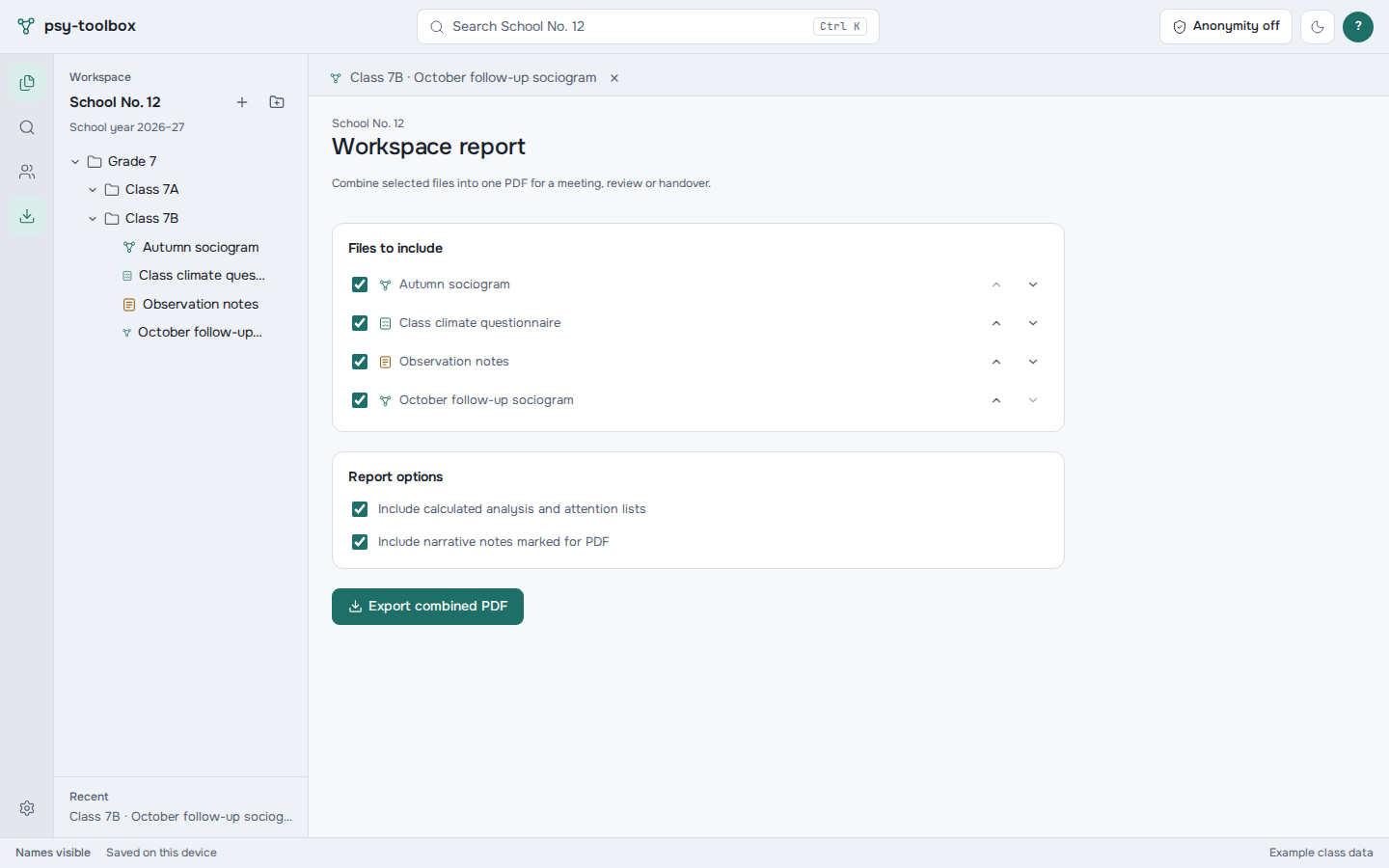
The workspace report builder combines selected sociograms, questionnaires and notes into one ordered PDF. Analysis and narrative notes can be included independently, and the workspace anonymity setting applies throughout the document.
History, undo and backup status
- Open a person’s history across sociograms, questionnaires and linked notes.
- Duplicate files and undo accidental deletion of files, folders, notes or people.
- See when the last workspace backup was downloaded and whether browser storage is persistent.
- Back up a workspace immediately before deleting it.