Sociogram
Import group choices and get the network, sociometric categories, analysis, notes and a PDF report.
Useful for: A sociogram for each class, with choices, categories and mutual pairs
Import an Excel file to map choices, mutual pairs and sociometric categories. Keep class questionnaires and observation notes in the same workspace.
Give each class, client, team or study its own workspace. Keep the source data, analysis and notes together inside it.
Import group choices and get the network, sociometric categories, analysis, notes and a PDF report.
Write your questions, import the responses and calculate totals, averages, reverse-scored items and charts.
Keep dated observations, meetings and conversations with a parent or client, with a blank note when needed.
Export the same sociogram, questionnaire or notes in two forms. The calculations, selected content and anonymity setting stay unchanged.
Keeps diagrams, colour and compact summaries for meetings and interpretation. Available in Russian and English.
Adds the school’s requisites, a GOST-based title page, monochrome charts and a signature block. It uses Liberation Serif, a free Times New Roman substitute that preserves the page layout.
Save the school details during the first export, then reuse them for later sociograms, questionnaires, notes and combined reports.
View the example pages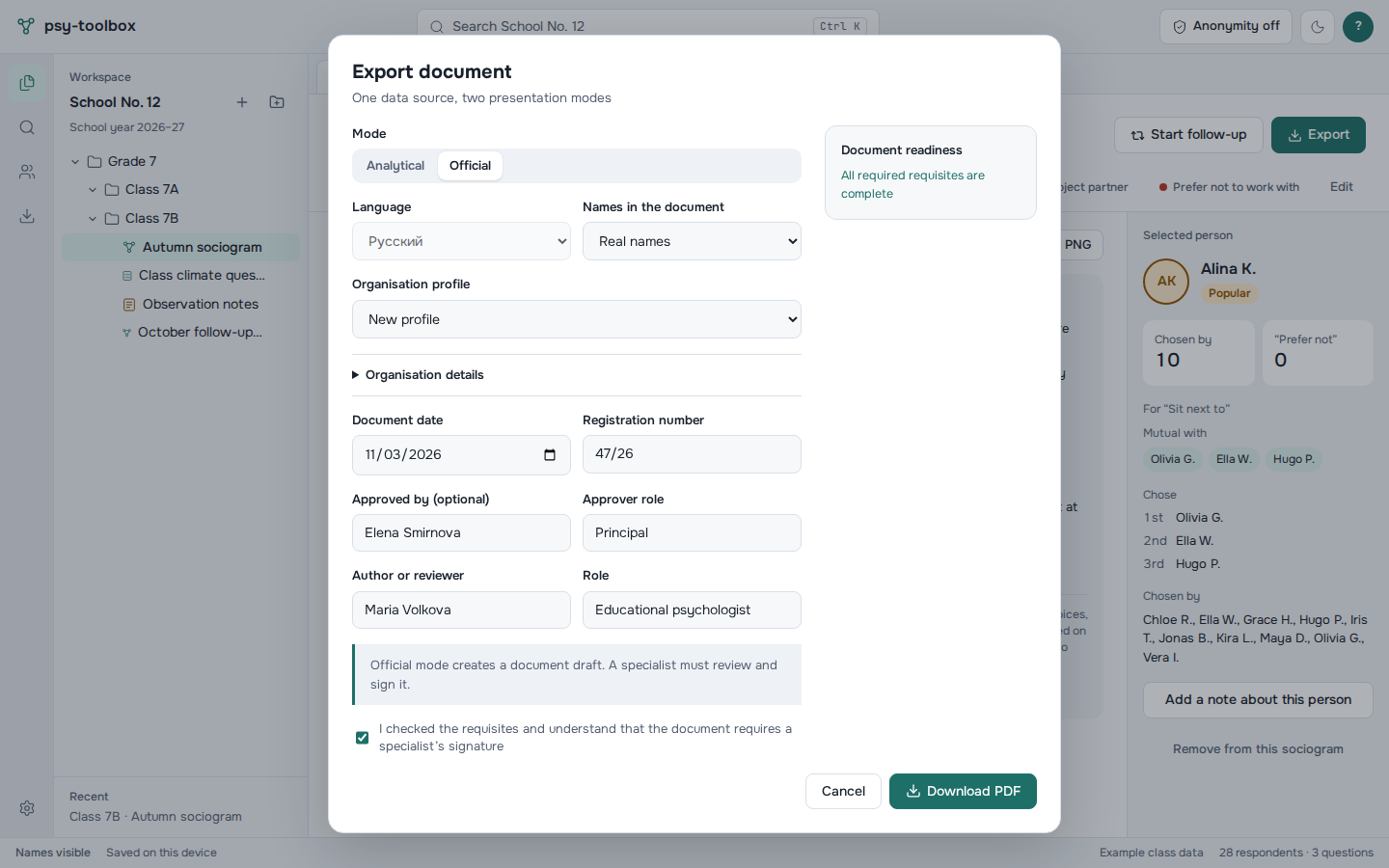
Add folders for grades and classes, with anonymity available for the whole workspace.
Download the Excel template, transfer the responses and import the completed file.
Review choices and categories, add your conclusions and export a PDF for the class teacher.
Import the responses to draw the network, count choices and identify mutual pairs. You can separate groups, position them on either side and assign each one a shape.
Anonymity mode uses numbered codes on screen, in tables, charts and PDF reports. Apply it to a whole workspace or turn it on before sharing your screen.
Use the switch in the example to see the change.
Use one row per person and one column per question. Download the template for the file you are creating, then fill it in or paste the responses into it.
In the browser on your computer. Names, responses and notes are not sent to us. Download workspace backups regularly because clearing the browser or reinstalling the operating system removes its local data.
Not yet. Collect responses on paper or with an online form, then import its Excel file.
psy-toolbox is available in English and Russian. Change the language at any time in Settings.
We count visits and clicks on this page without cookies or identifying you. Change your choice under “Analytics settings” in the footer. The app records actions such as “exported a PDF”, never names, responses or notes; you can disable this in Settings.